Pages

Monday, June 17, 2019

The Animal Kingdom

Animals

 GroupFeatures Examples 
 Fish
(31,000 species)
Lives in water.
Breathes with gills.
Most lay eggs.
Cold-blooded.
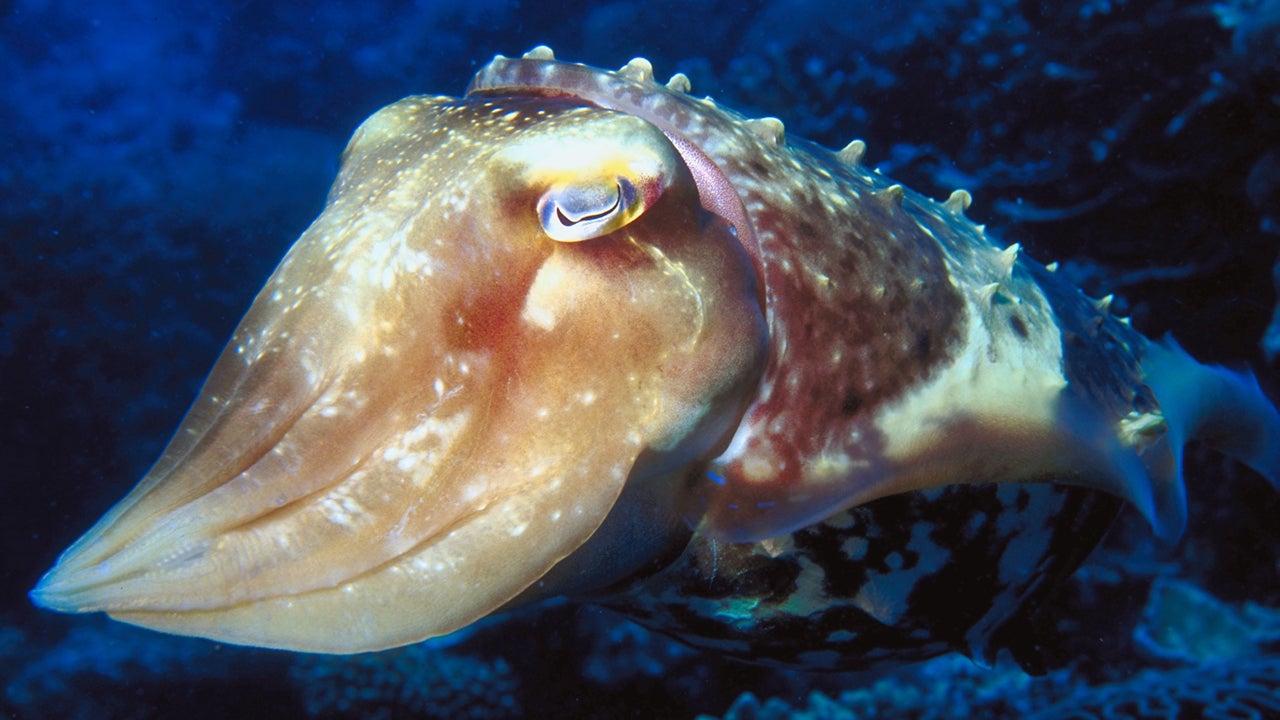
 Illustration for article titled All The Dumbass Fish At The Aquarium…RankedIllustration for article titled All The Dumbass Fish At The Aquarium…Ranked
Cuttlefish
 Amphibian
(70,00 species)
Moist skin.
Lay their eggs in water.
Larvae breathe with gills.
Adults breathe with lungs. 
 Image result for purple frog
Purple Frog
 Reptile
(10,000 species)
Dry, scaly skin.
Lay eggs.
Breathes with lungs.
Cold-blooded. 
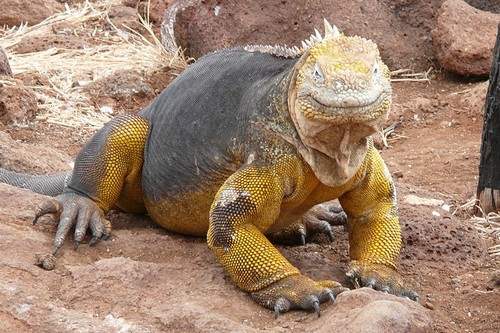
 Galapagos Land Iguana
Galapagos Land Iguana
 Bird
(10,000 species)
Covered in feathers,
Lay eggs with hard shells,
Have wings,
Warm blooded. 
 Image result for dumb dodo
Dodo
 Mammal
(5,500 species)
 Body covered in hair / fur,
Warm-blooded.
Breathe using lungs.
Give birth.
 
Panda

Insects
 
Group Features Examples 
 True worms
(24,000 species)
Body is tubular, or made up of segments,
Tube-like digestive system. 
Image result for bobbit worm
Bobbit worm
 Flat worms
(12,000 species)
Breathe through their skin,
Unsegmented body. 
Image result for hammerhead flatworm
Bipalium
 Sponges
(10,000 species)
 Take in water through their pores (little holes) in their bodies from which they filter (take out) little bits of food.Image result for spongebob and doodlebob
Seasponge
 Cnidarians
(9,000 species)
 Hollow body with specialised cells (stingers) that they use for capturing prey,
Live in water.
 Related image
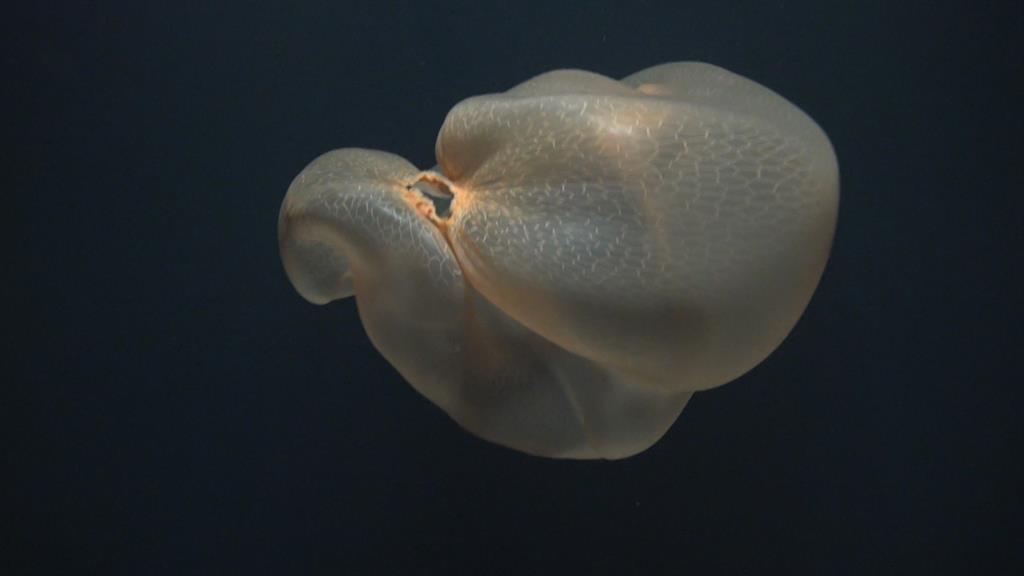
Deepstaria enigmatica
 Molluscs
(100,000 species)
Most live in the sea,
Most have shells,
Unsegmented body. 
Related image
Spiniapex
 Echinoderms
(9,000 species)
 A skeleton made up of five plates,
Tube feet,
Live in the sea.
Related image
Sea Cucumber 
 Arthropods
(>1,000,000 species)
 Jointed legs,
Divided into four further sub-groups.

:) 
 :) Crustaceans
Most are aquatic,
Body divided into three parts.
 Related image
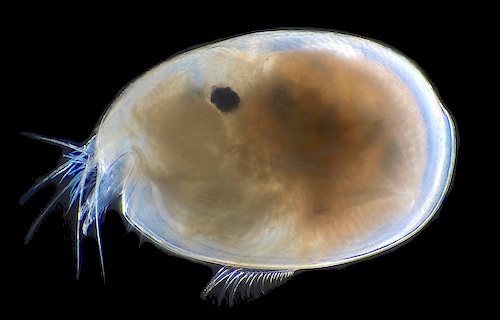
Ostracod
 :) Myriapods
Many pairs of legs,
Simple pair of antennae.
 Image result for Centipede
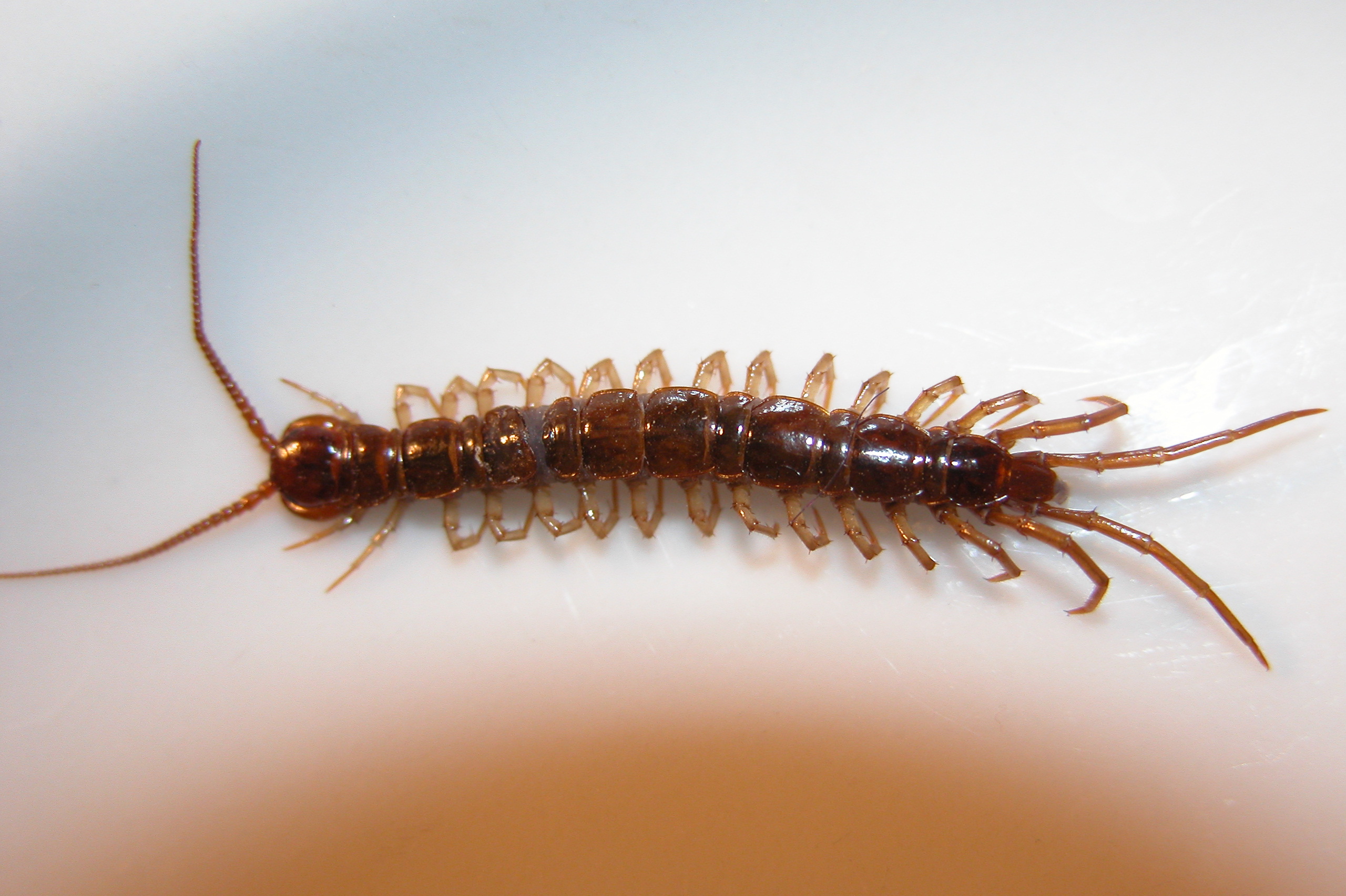
Centipede
:)Insects
Body divided into three parts,
Simple pair of antennae.
Image result for Bee
Bee
:)ArachnidsBody divided into two parts
No antennae. 
 Image result for tarantula
Tarantula


Friday, June 14, 2019

Creating the Perfect ID Tag.

Aluminium Dog-tag.
Dog-Tags were designed, created and used to identify the name, family, and rank of dead soldiers on the battlefield, when their face had been rendered unidentifiable. This means they had to clearly display information in an easy-to-read format, using easy-to-read character sizes. Having gone through many iterations, the dog tag is still the go-to war identification system, though it has been adopted by the general public to organise and identify people's objects.
There are many ways you can create a dog-tag. You could make it from metal, you could 3d print plastic, you could laser cut wood, e.t.c. This post will talk about two.
Measuring, cutting, filing, and imprinting an aluminium dog-tag, and 3D printing one from plastic.

Creating an Aluminium Dog-tag.
Aluminium dog-tags are classic and will give your dog-tag an authentic look.

1. Start by deciding on the width, length, and thickness of your dog-tag. Mine will be
285mm x 35mm x 4mm, and so the instructions will be for a dog-tag of these specifications.
2. Find a strip of metal aluminium that matches or is above your specifications of length, width, and thickness.
3. Start by lining up an engineering square to the bar, and scribe along it, making a waste line (line     near the rugged edge of metal bar, to be measured from to avoid the uneven edge of your metal bar.)
4. Measure 40mm from the wasteline.
5. Use a handsaw to make a straight cut.
5. File your piece of metal down until you reach 35mm in length.
    (It's best to be exact, and use a vernier calliper to check.)
6. (Optionally) File down the rough edges into curves.
7. Find the centre of your work and create an indent by using a hammer with a centre punch.
    This indent is where you're going to use to line the drill up.
8. Move the dog-tag or the drill around until the end of the drill locks into the centre punch's indent.
9. Drill a hole in your piece.
10. Use a larger counter sinkdrill bit and drill a quarter of the way on one side your piece, cleaning up the round edges of your hole.
11. Repeat on other side.
12. Use a buffer wheel to polish your piece of metal.
      It's now time to put some letters/numbers into your work.
13. Pick out your letter prints and line them up along your work, before hammering them in one by          one. It pays to use some scrap metal side by side to your dog-tag so that you don't put them                  around the wrong way.
   
      You now have your dog-tag!

3D Printing a Dog-tag.
3D Printing your ID tag means that it can come in any shape, size, or colour.
3D Model of ID Tag.

There are two parts in 3D-printing a dog-tag:
First, you have to design and create a 3D model using Tinkercad.
Tinkercad is a simple 3D modelling tool, and using it is really easy.
The following are basic skills that will allow you to create anything you want.
1. Drag a block out from the list on the right.
2. Move the block to where you want it.
3. Colour the block.
4. Size the block to your standards.

You can resize and colour any shape provided by Tinkercad. There are the basic shapes: Cubes, Spheres, Pyramids, e.t.c. But there are also user-created shapes like korus, spirals, and different words or fonts. Once you have put different blocks together, and made something, it's time to 3D print. In order to 3D print, you first need to download your 3D model.
First, MAKE SURE YOUR COMPUTER IS CONNECTED TO A 3D PRINTER.

1. Then click 'Export' in the top right, then select to download as an '.STL' file.
2. Open UPStudio.
3. Open a new project.
4. Click the "+" symbol on the left.
5. Select your .STL file.
6. Initialize your printer. This will be different on every 3D printer, as they all have different size nozzles and canvases.
7. Once you have initialized your printer, begin pre-heating the nozzle and plastic.
8. When the plastic and nozzle are at desirable temperatures, click print.

The plastic should come out straight, not curled. usually, the 3D printer starts with a grid on the bottom, that you peel off once it's finished. This grid is put in place to stop the project from sticking to the canvas.

Wednesday, June 12, 2019

Self Introduction

In Japanese, we've been learning to introduce ourself.I have learnt to introduce my name, say my age, say my pets, say my phone number, say what school I go to and to say where I come from.

The following document is a short introduction that I wrote:

Tuesday, June 11, 2019

English


Image result for hunt for the wilderpeople

I'm currently writing a five paragraph essay on Hunt for the Wilderpeople, a visual text directed by Taika Waititi, based on the book Wild Pork and Watercress by Barry Crump.

Hunt for the Wilderpeople is about Ricky Baker, an up-beat foster-care child who befriends Hector Faulkner, a grumpy old man after a mishap with the police. 

We've also started reading the book, "The Cay", by Theodore Taylor. It's about Phillip, a boy who's boat sinks, leaving him stranded on an island with an older man, named Timothy.

Tuesday, June 4, 2019

Learning to Make Robots Scream

This past seven weeks we have been learning to code in "Blocks", an entry-level general coding software. This coding language operates by connecting "blocks" that represent functions, as to create a programme.

In order to learn how to use blocks coding, we had to start by going on code.org, and using some of their activities/games to understand the fundamentals of coding in blocks, and sometimes even Java. I learnt the fundamentals of block coding, and how it operates. I learnt to correctly distinguish the functions of each block of code, and connect them together in succession, which gave me an advantage when it was time to eventually use the Sphero bots.

Sphero bots are small, often spherical robots that operate in two programming languages: Blocks, and Java. Mr. Carter gave us a task to famililiarise ourselves further with blocks code. He drew up mazes along the floor, and challenged us with coding our Spheroes to maneuvere through the course, and back, while staying in-bounds of the blue tape, and not going over, or touching the outside. This allowed us to practice moving our Sphero, which would be an invaluable skill for the programmes we were yet to create.

We created three more programmes after that.
A toss game,
A hot potato game,
and a spinning top.

Mr. Carter's task
These three programmes taught us how to effectively use controls, comparators, sensors, variables and operators, all skills that we were going to require for making our own programme. Mr. Carter tasked us with getting creative, and designing a programme for a sphero from the ground up. It had to use a number of the skills we had just learnt, and could do anything we wanted. Many students in my class decided to create some sort of game with the Sphero, but I picked something else.
I decided to programme my sphero to react differently, depending on how it was handled. (i.e. spinning the sphero would cause it to 'vomit'.) The catch was, that if the sphero was dropped, it would initiate a sequence imitating that of a timebomb. The sphero would begin by sounding a siren, then counting down from five, before making an explosion sound, flashing it's lights, and using raw motors to have a spasm, exiting the programme afterward. You can find this programme written in blocks here, or in text here.

We are now moving on to topic three of Digital Technology's first semester programme on robotics. I'd highly reccomend tihs programme to anybody interested in learning about programming, robotics, or making programmable inanimate objects experience pain.